MacExplorer
Windows Explorer-style file manager
MacExplorer is a free, open-source, Windows Explorer-style file manager for macOS: tabs, dual pane, real Cut and Paste, a preview pane, and SFTP and FTP right in the window.
A free alternative to Finder, Path Finder, ForkLift and Commander One for people who miss Windows Explorer on the Mac.
Download MacExplorer for macOS (zip)
Full documentation · All releases · Source code: GitLab · GitHub
Features
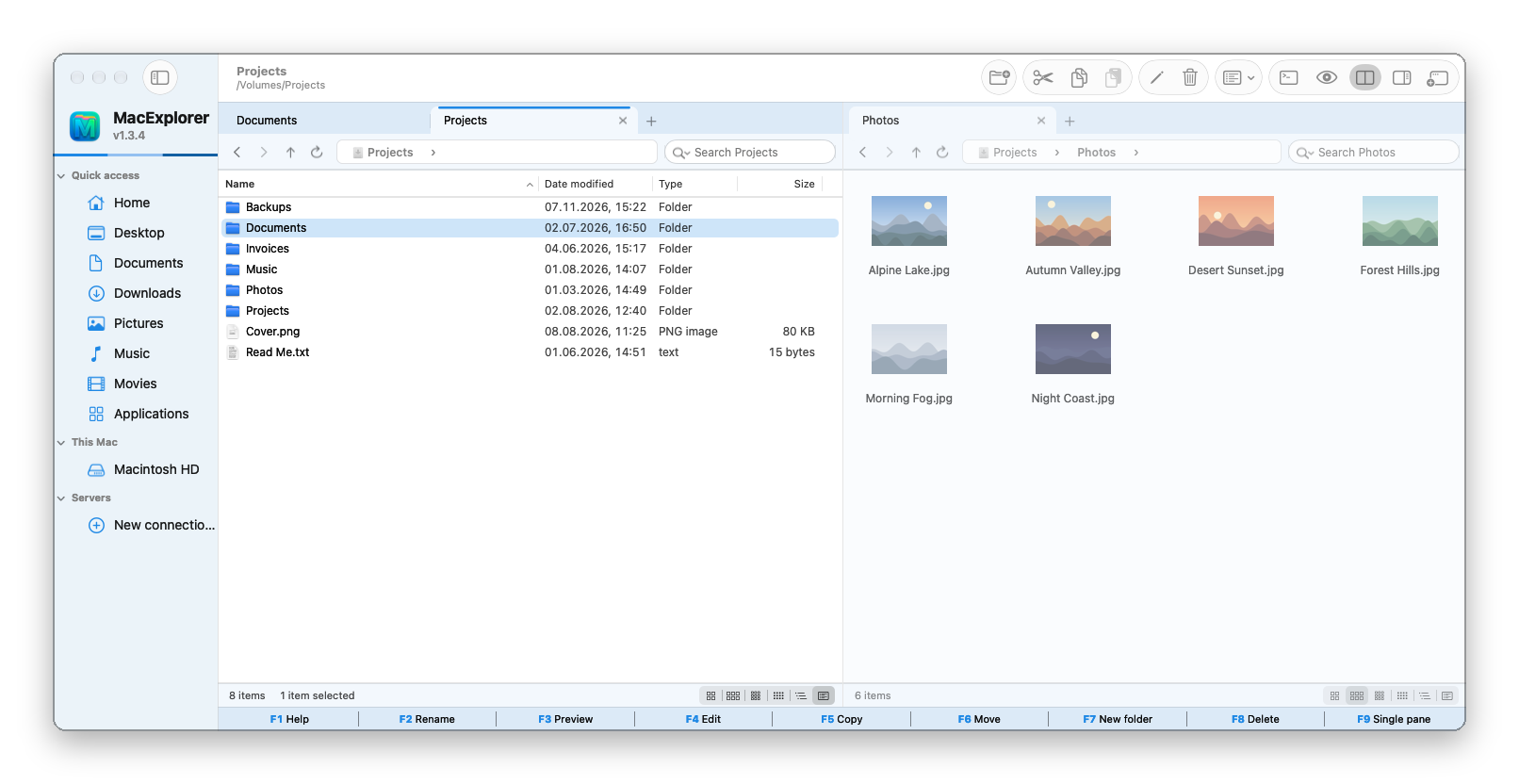
- Tabs in every pane and dual pane (F9); tabs move between panes and windows
- Address bar with steps like Explorer, and Windows column and menu names
- Real Cut, Copy and Paste that also works with Finder's clipboard
- Copy and move with progress, Replace / Skip / Keep both, and Undo / Redo for every file operation
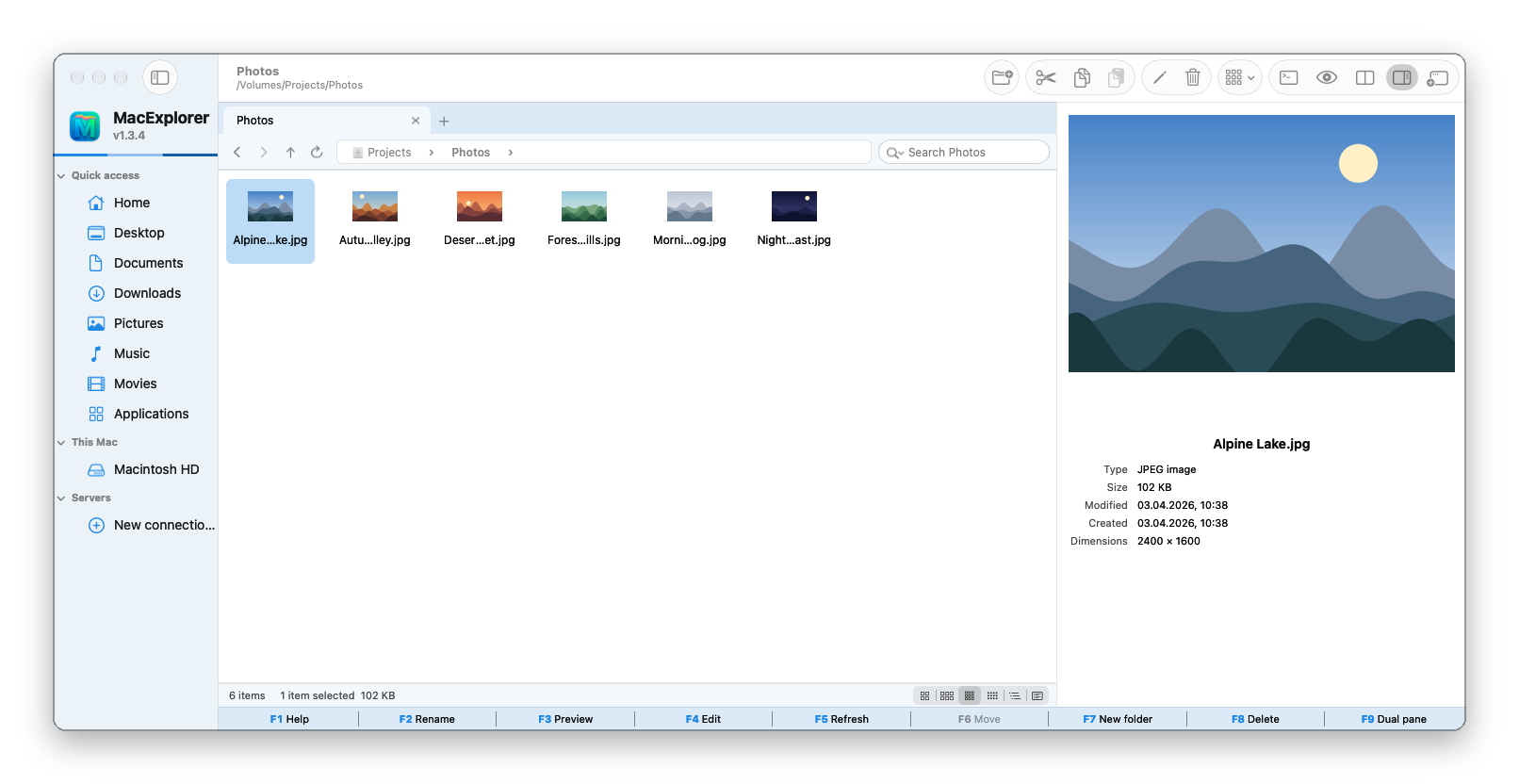
- Icon, List and Details views with thumbnails, a preview pane (Alt+P) and Quick Look
- Search that also looks through subfolders in the background
- SFTP, FTP, FTPES and FTPS in the pane; SMB, WebDAV, AFP and NFS mounted as disks
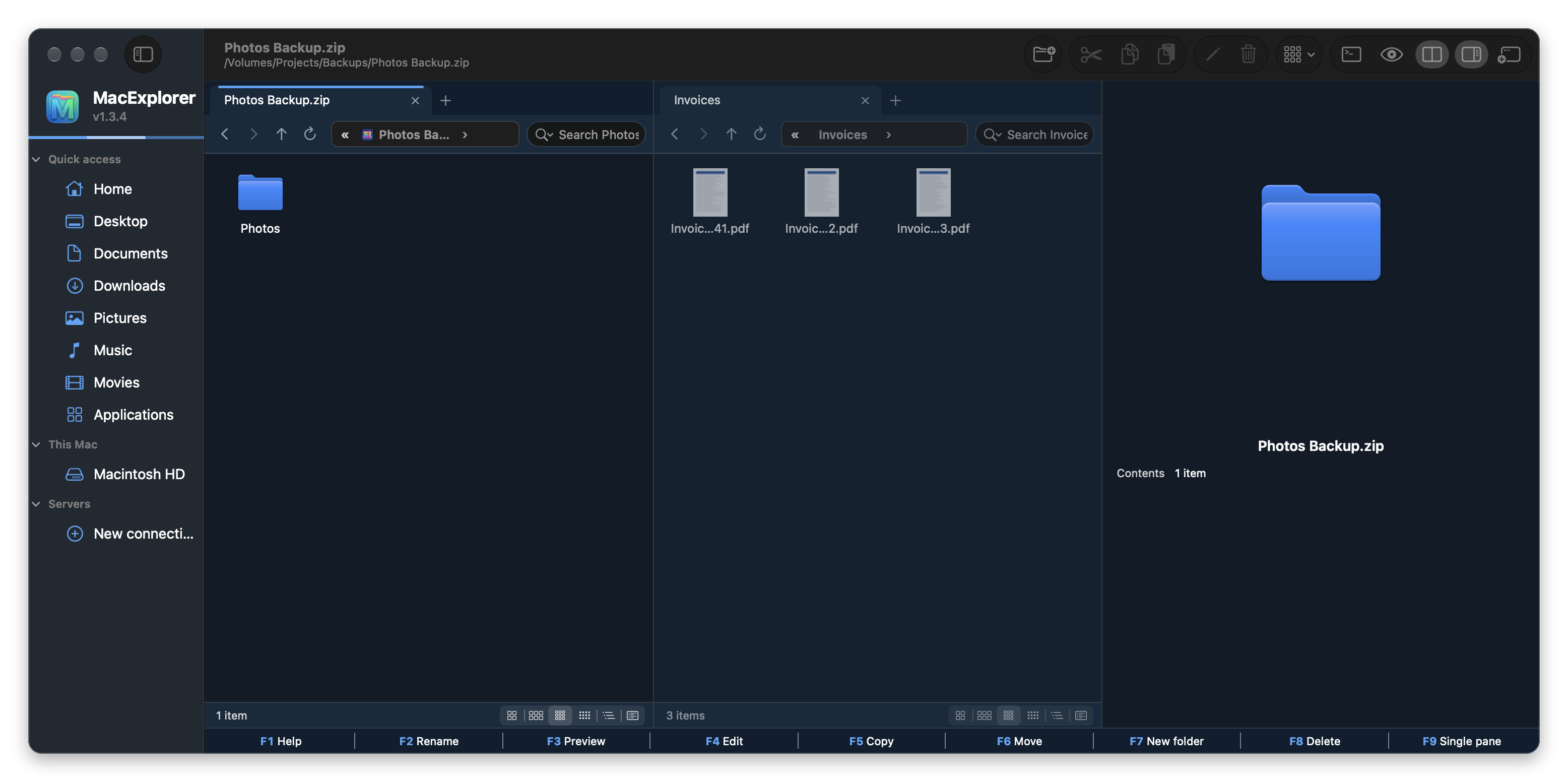
- Browse ZIP, RAR, 7Z and TAR archives like folders; mount ISO and DMG images and create new ones
- Windows keyboard behaviour by default, Mac behaviour optional; function key bar
- Works with the free MacNote++ editor: F4 edits files in it and F3 can open them read-only
- 14 themes with light and dark colours; updates itself from GitLab
Screenshots
Frequently asked questions
Is MacExplorer free?
Yes. MacExplorer is free and open source under the GPL-3.0 license, with no ads, no accounts and no in-app purchases.
Is there a Windows Explorer for Mac?
Microsoft does not make one. MacExplorer brings the same way of working to macOS: tabs, the address bar with steps, Windows menu names, Cut and Paste, and the Windows keyboard behaviour.
Can I cut and paste files on a Mac?
Yes. In MacExplorer, Ctrl+X or ⌘X cuts files and Ctrl+V or ⌘V moves them. Cut items are dimmed until you paste.
Does it replace Finder?
No, it runs next to Finder. macOS does not reliably allow another app to become the default file viewer, so folders opened from other apps still go to Finder.
Can it connect to SFTP and FTP servers?
Yes. SFTP, FTP, FTPES and FTPS open in the pane, and SMB, WebDAV, AFP and NFS are mounted as disks. Connect with ⌘K.
Where are my passwords stored?
Only in the macOS Keychain, and only if you choose to save them.
Which Macs does it run on?
macOS 15 Sequoia or later, on Apple Silicon and Intel Macs.
Why does macOS block it the first time?
MacExplorer is not notarized by Apple, which needs a paid developer account. Allow it once in System Settings ▸ Privacy & Security ▸ Open Anyway; see Download and install.
Finder, Path Finder, ForkLift, Commander One and Windows Explorer are named only for comparison; MacExplorer is not affiliated with them, with Apple or with Microsoft.
Before you install
The apps are not notarized by Apple (that needs a paid developer account), so macOS blocks them the first time. Allow each app once in System Settings ▸ Privacy & Security ▸ Open Anyway. Every release lists a SHA-256 checksum.