MacMonitor
Menu bar CPU, RAM and disk monitor
MacMonitor is a free, open-source macOS menu bar app that shows live CPU and RAM usage, with per-core load, memory breakdown, top processes and free disk space one click away.
A lightweight, free alternative to iStat Menus, Stats and MenuMeters when you only need CPU, memory and disk at a glance.
Download MacMonitor for macOS (pkg)
Full documentation · All releases · Source code: GitLab · GitHub
Features
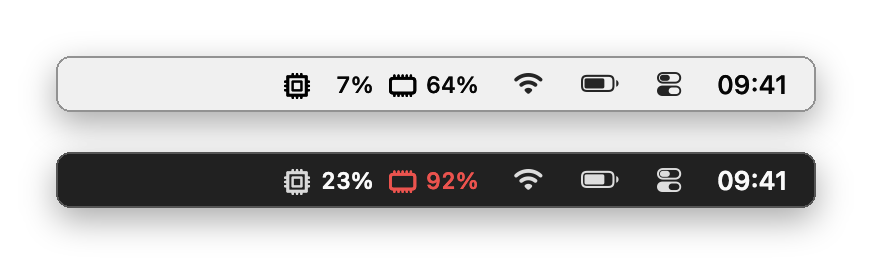
- Live CPU and RAM percentages in the menu bar, refreshed every 0.5 to 5 seconds, in five styles
- Values turn red when CPU or RAM crosses your alert threshold
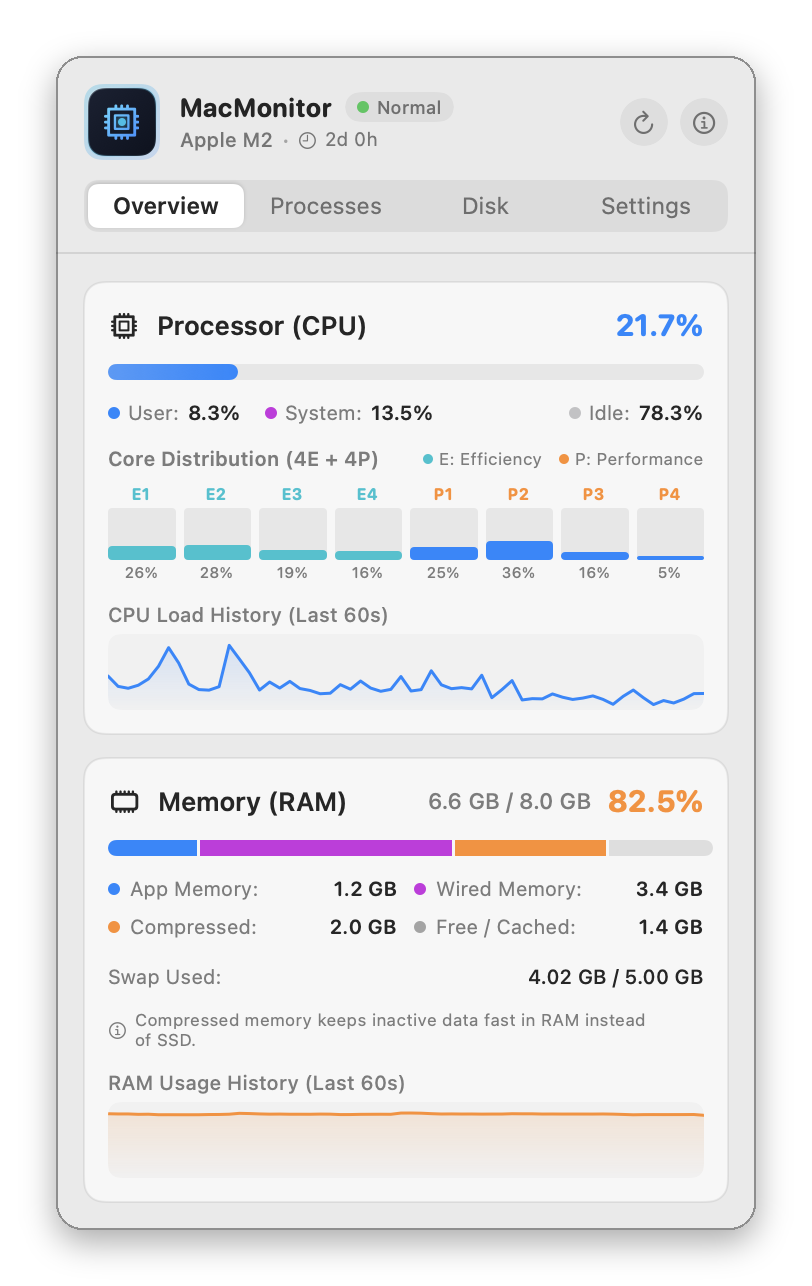
- Per-core load (efficiency and performance cores) and 60-second history graphs
- Memory split into App, Wired, Compressed and Free/Cached, as in Activity Monitor, plus swap
- Top six processes by CPU or memory
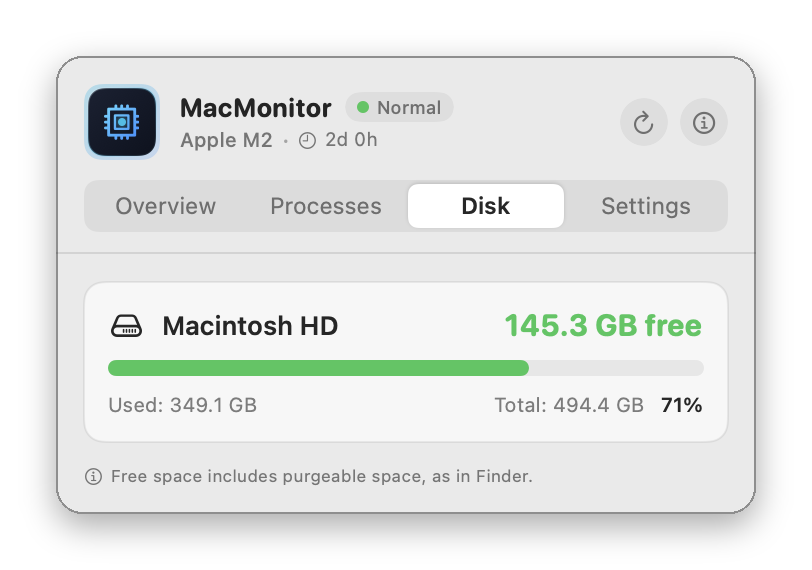
- Free, used and total space for every mounted disk, as Finder counts it
- About 0.1% CPU and 40 MB of memory with the panel closed; no network access
Screenshots
Frequently asked questions
Is MacMonitor free?
Yes. MacMonitor is free and open source under the GPL-3.0 license. There are no ads, no accounts and no in-app purchases, and it never connects to the internet.
How do I see CPU and RAM usage in the Mac menu bar?
Install MacMonitor: CPU and RAM percentages appear in the menu bar right away and refresh every 0.5 to 5 seconds. Click them for per-core load, the memory breakdown and the processes using the most CPU or memory.
How do I check free disk space on my Mac?
Click MacMonitor in the menu bar and open the Disk tab. It shows free, used and total space for the startup disk and every external drive, calculated the same way as Finder.
Will it slow down my Mac?
No. With the panel closed MacMonitor uses about 0.1% of total CPU and 40 MB of memory. It doesn't run shell commands such as top or ps, so it adds nothing to the system log.
How is it different from iStat Menus or Stats?
MacMonitor does less on purpose: CPU, memory, disk space and the top processes. It has no sensor, network, battery or GPU graphs. If those essentials are all you want, it stays small and quiet.
Which Macs does it run on?
Apple Silicon and Intel Macs with macOS 13 Ventura or later.
Why does macOS block it the first time?
MacMonitor is not notarized by Apple, which needs a paid developer account. Allow it once in System Settings ▸ Privacy & Security ▸ Open Anyway; see First launch.
iStat Menus, Stats and MenuMeters are named only for comparison; MacMonitor is not affiliated with them.
Before you install
The apps are not notarized by Apple (that needs a paid developer account), so macOS blocks them the first time. Allow each app once in System Settings ▸ Privacy & Security ▸ Open Anyway. Every release lists a SHA-256 checksum.