
MacRAR
WinRAR-style archive manager
MacRAR is a free, open-source, WinRAR-style archive manager for macOS: open, extract and create RAR, ZIP, 7Z and TAR archives, with a Finder right-click menu.
A free WinRAR alternative for the Mac, and an alternative to Keka, BetterZip and The Unarchiver.
Download MacRAR for macOS (pkg)
Full documentation · All releases · Source code: GitLab · GitHub
Features
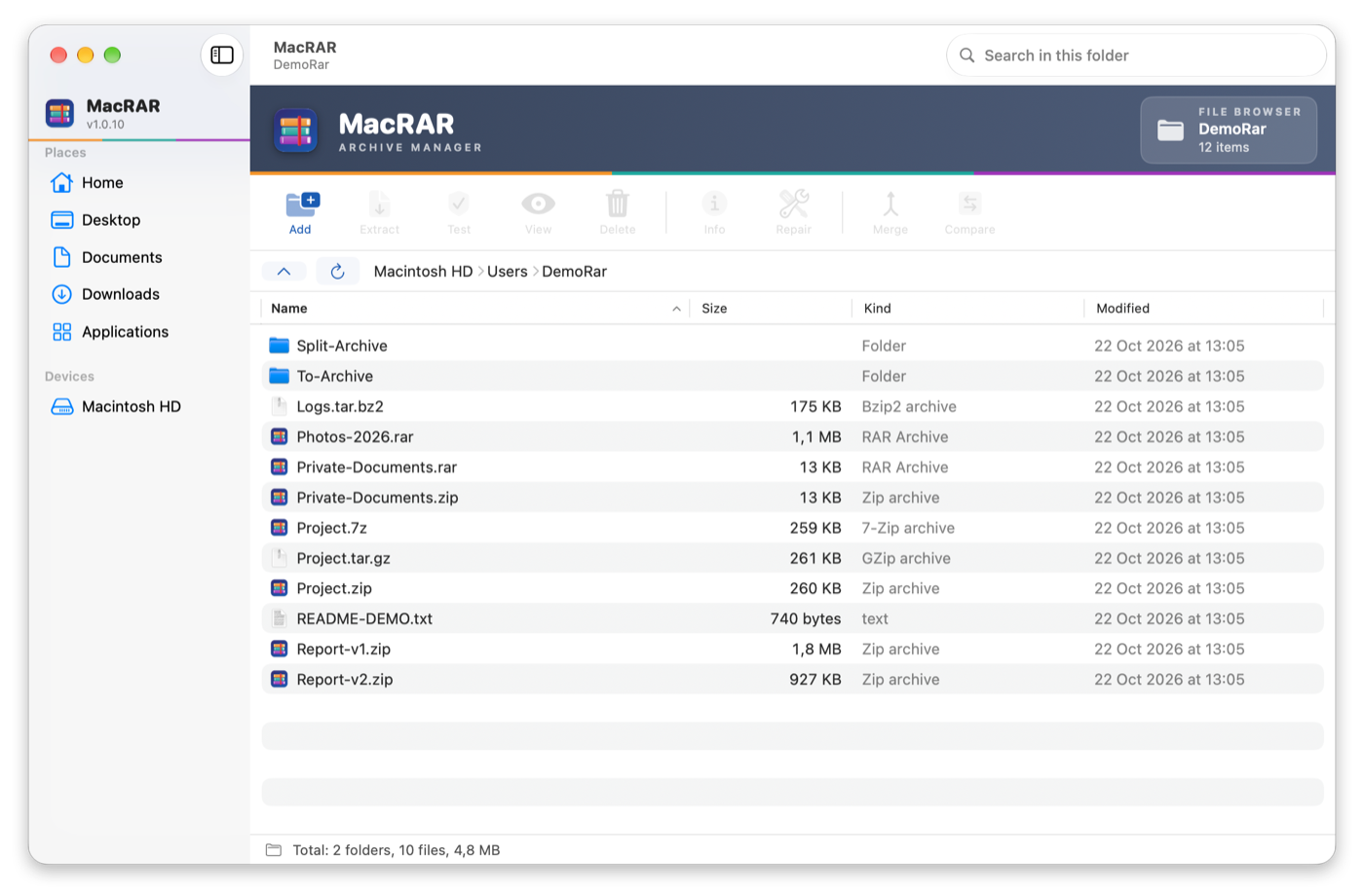
- Look inside RAR, ZIP, 7Z and TAR archives without extracting them
- Extract everything or a selection, or drag files straight to the Finder
- Create RAR5/RAR4 (with RARLAB's rar), ZIP with AES-256, 7Z and TAR archives
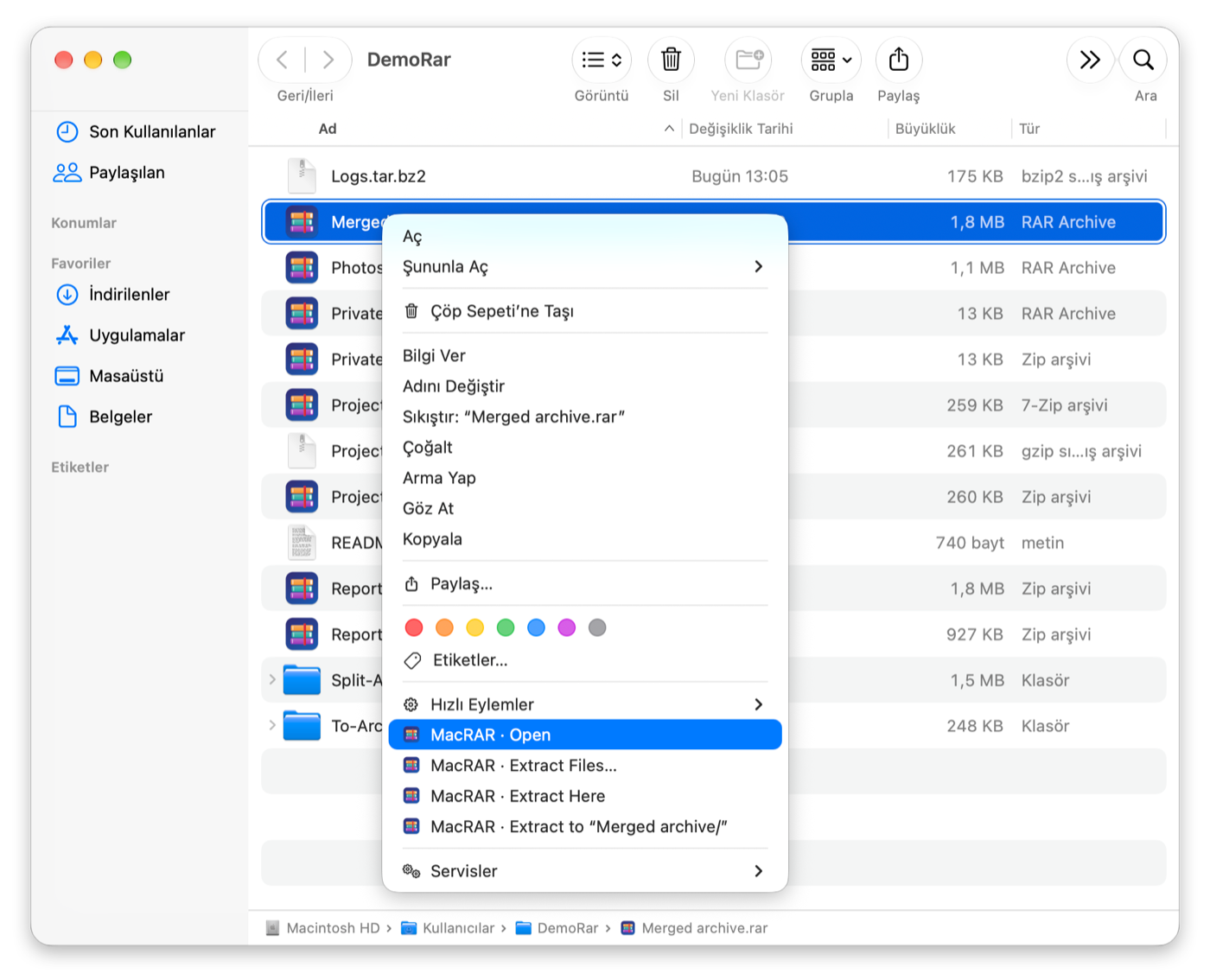
- Finder right-click menu: compress to RAR or ZIP, extract, open
- Test, merge and compare archives; edit RAR and ZIP archives
- Password manager backed by the macOS Keychain
Screenshots
Frequently asked questions
Is MacRAR free?
Yes. MacRAR is free and open source under the GPL-3.0 license, and opening and extracting RAR files is free too: RARLAB's free unrar comes with the app. Only creating or editing RAR archives needs RARLAB's rar tool, which is free to try for 40 days and then needs a RARLAB license. Creating ZIP, 7Z and TAR archives never needs it.
How do I open a RAR file on a Mac?
Install MacRAR and double-click the .rar file to look inside, or right-click it in the Finder and extract it without opening the main window. Password-protected archives ask for the password.
Can I create RAR files on a Mac?
Yes. MacRAR's Setup Assistant downloads RARLAB's rar from rarlab.com with one click; then you can create RAR5 or RAR4 archives with a password, file name encryption, a recovery record or split volumes.
Can I compress and extract from the Finder right-click menu?
Yes. Right-click files in the Finder to compress them to RAR or ZIP, or right-click an archive to extract or open it. The work runs with a small progress panel, without opening MacRAR's main window.
Which Macs does it run on?
Apple Silicon and Intel Macs with macOS 15 Sequoia or later.
Why does macOS block it the first time?
MacRAR is not notarized by Apple, which needs a paid developer account. Allow it once in System Settings ▸ Privacy & Security ▸ Open Anyway; see Installation.
WinRAR, Keka, BetterZip and The Unarchiver are named only for comparison; MacRAR is not affiliated with them or with RARLAB.
Before you install
The apps are not notarized by Apple (that needs a paid developer account), so macOS blocks them the first time. Allow each app once in System Settings ▸ Privacy & Security ▸ Open Anyway. Every release lists a SHA-256 checksum.